Card Payments 101

Finnegan Flynn
| 28-12-2025
 · News team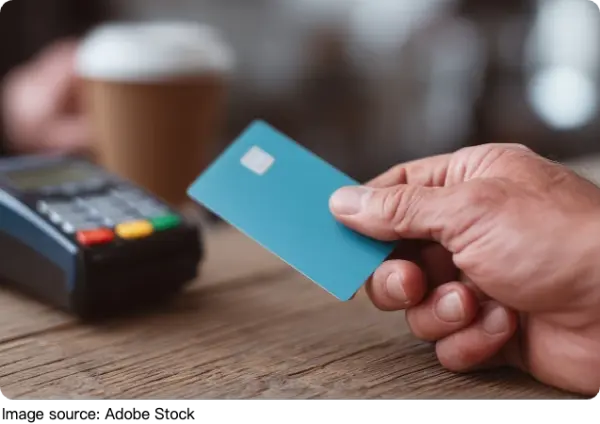
Customers increasingly expect to pay by card or with a contactless tap. If a business only takes cash or checks, impulse purchases vanish.
Accepting credit and debit cards expands reach, raises average order value, and reduces friction at checkout—whether selling on a website, at a counter, or from a pop-up stand.
How It Works
Every card payment races through a quick relay. The reader captures card data, a processor routes it via the card network, and the issuing bank approves or declines. Within seconds, the decision returns and a receipt prints or pings. Later, funds settle to the merchant account, typically in one to three business days.
Agustín Carstens, general manager of the Bank for International Settlements, writes, “A delay of a day or more in payment used to be acceptable; today, it seems like an eternity.”
Fee Basics
Processing fees cover network costs plus a provider’s markup. You’ll see three common models:
• Flat rate: A single price per transaction type. Example: 2.6% + 10 cents for in-person, 2.9% + 30 cents online.
• Interchange plus: True network cost (varies by card type and risk) plus a transparent markup, such as 0.15% + 8 cents.
• Subscription: A monthly platform fee (often 79 to 199 dollars) plus very small per-transaction fees, best for higher volumes.
Accept Online
Two paths work well. A payment service provider (PSP) like a modern checkout platform plugs into most site builders and carts, often with no setup fee and pay-as-you-go rates. Alternatively, pair a payment gateway with a dedicated merchant account for granular control and often lower enterprise pricing. Expect online rates to run higher than in-person because card-not-present transactions carry more fraud risk.
Accept In Person
Choose a reader that fits the flow.
• Simple magstripe readers are cheapest but dated.
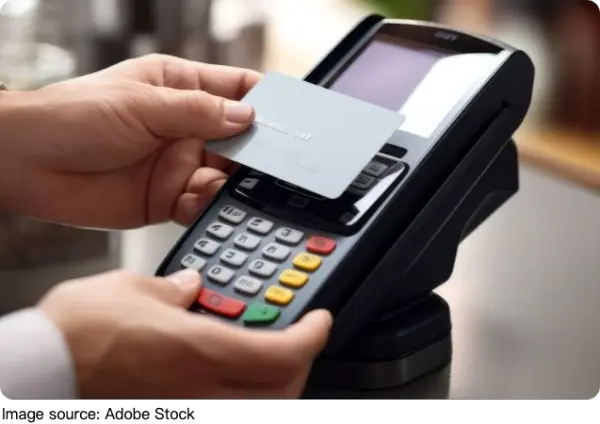
• Dip, tap, and swipe devices handle chip and contactless and start around 49 to 99 dollars.
• All-in-one terminals with printer, screen, and barcode scanning range from 199 to 799 dollars.
Add point-of-sale software to track inventory, taxes, and receipts; many processors bundle basic POS apps at no monthly cost.
Accept On Mobile
For markets, queues, or field work, a Bluetooth tap-and-chip reader pairs with a phone or tablet. Most PSPs ship these for free or at low cost with an active account. Use cellular or Wi-Fi, capture tips, and email receipts on the spot. Rates usually mirror standard in-person pricing.
Accept By Phone
Key details into a virtual terminal through a secure browser. There’s no extra hardware, but keyed-entry transactions cost more due to higher fraud risk. Lock down access, enable address verification (AVS) and CVV checks, and store no raw card data on local computers.
No Merchant Account
Traditional merchant accounts still make sense for complex or very high-volume operations. For everyone else, PSPs offer rapid onboarding—often same day—so payments can start immediately. One account accepts credit, debit, wallets, and even pay-by-link with unified reporting.
Settlement Timing
Standard funding hits in one to three business days. Same-day or next-day deposits are common add-ons with small fees. Debit-card transactions may reach accounts faster, but confirm timings with each provider and your bank’s cutoff window.
Find the Cheapest Fit
The best-priced setup depends on volume and mix. Low volume favors no-monthly-fee, flat-rate PSPs so costs occur only with sales. Higher volume often benefits from interchange-plus or subscription pricing. Always tally the whole stack: hardware, software, monthly fees, gateway fees, chargeback fees, and per-transaction costs across in-person, online, and keyed-in.
Hardware Choices
Budget intentionally. If 90% of revenue is online, skip costly terminals. If the counter is busy all day, invest in a reliable, customer-facing pinpad and a receipt printer. For pop-ups, choose a compact tap-and-chip reader with a sturdy stand and portable battery.
Contract Clarity
Read the merchant service agreement. Check for term length, auto-renewals, early termination penalties, equipment leases, and price-increase clauses. Understand how refunds and chargebacks are handled, including any 15 to 35 dollar dispute fees and evidence requirements.
Debit vs Credit
Debit often costs less under interchange-plus because banks view it as lower risk. Flat-rate plans may price debit and credit similarly for simplicity. Encourage chip or tap in-person to qualify for best rates; keyed-in transactions typically cost more.
Reduce Chargebacks
Prevent issues upfront. Use AVS and CVV, capture signatures or PIN when applicable, show clear return policies, and ship with tracking. For disputes, respond before deadlines with order details, customer communications, and proof of delivery. Some processors offer chargeback assistance or no-fee dispute programs—valuable if disputes are frequent.
Security Musts
Choose a provider with point-to-point encryption, tokenization, and strong PCI compliance tools. Enforce staff permissions, two-factor logins, and automatic updates. Never store card numbers locally. For online checkout, enable fraud tools like velocity limits, geofencing, and 3-D Secure when available.
Smart Add-Ons
Use invoicing links for deposits, subscriptions for memberships, and buy-now-pay-later carefully to boost conversion while controlling fees. Offer digital wallets to speed checkout on phones. Sync accounting so fees and payouts reconcile automatically each day.
Conclusion
Accepting cards should lift sales, not headaches. Map where payments happen, estimate monthly volume, and pick pricing that fits. Start lean with hardware and scale up as lines grow. Begin with the channel your customers use most, then expand once settlement and support processes are running smoothly.